New Video- ADAM-250PN - Full Walkthrough with TIA Portal, Node-RED & MQTT → Watch now


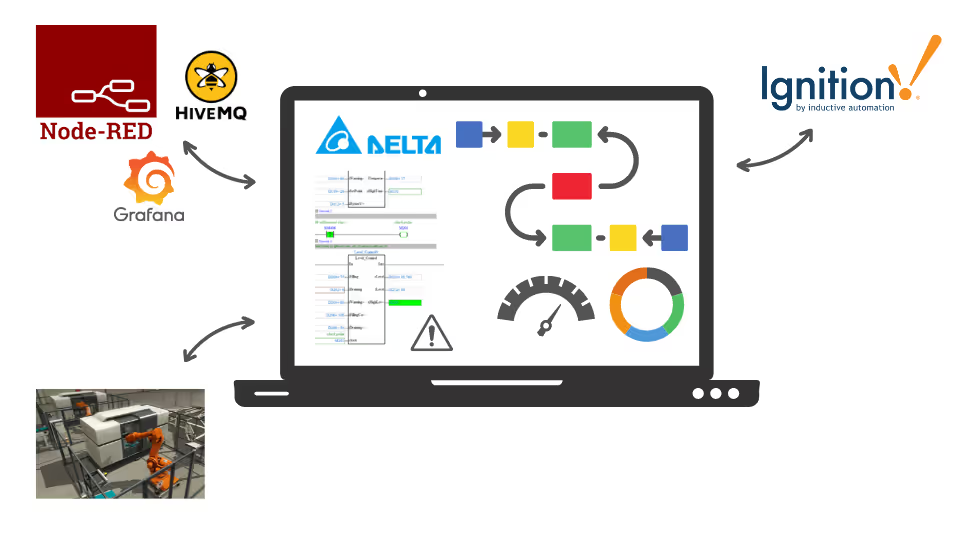
Connect the Delta PLC simulator to FACTORY I/O, Ignition SCADA, Node-RED, Grafana and HiveMQ, and build your own simulated processes. All you need is your computer.
“Straight to the point without too much back story fluff. Just what I needed.”
Connect one simulated PLC to the tools used in real plants.
Install and configure the Delta PLC simulator from scratch.
Control virtual industrial scenes with your simulated PLC.
Create your own simulation environment, such as a temperature process.
Link the simulator directly to Ignition SCADA.
Visualise the simulator's inputs and outputs in Node-RED.
Send your data to Grafana and HiveMQ via MQTT.
An introduction to the Delta PLC simulator and setting up your simulation.
Integrating the simulator with FACTORY I/O, then creating your own simulation environment.
Interfacing the simulator with Ignition SCADA and Node-RED.
Interfacing with Grafana and HiveMQ, plus a bonus lecture.
See how Rajvir teaches, from setting up the simulator to building your own process and a Node-RED dashboard.
An introduction to the course and setting up the Delta PLC simulator.
Build your own simulated process to control.
Show the simulator's inputs and outputs on a dashboard.
Download links for the software used in Code and Compile courses are on the Code and Compile Wiki.
“Rajvir is an exceptional teacher who simplifies complex topics effortlessly. He’s always available in comments or even via TeamViewer to help you understand. Truly dedicated and teaches straight from the heart.”
“I was shy to learn PLC and IIoT, but Rajvir’s teaching on Code and Compile inspired me. His passion, clarity, and willingness to answer every question made learning PLCnext and Node-RED exciting.”
“I’m a software engineer at NASA Ames, and Rajvir’s videos greatly help me interface PLCs for testing heat shield systems on reentry vehicles, truly contributing to space exploration and innovation.”
He is a skilled Automation and IIoT Specialist, dedicated to achieving goals with precision. His passion lies in making learning accessible and enjoyable through the use of cutting-edge educational tools.





Take this course on its own, or unlock every Code and Compile course with PRO.
Practice flashcards. Test yourself on PLC and HMI concepts at beginner, medium and advanced levels on cards.codeandcompile.com.
You will be redirected to Code and Compile School for payment.
No. The course is built around the Delta PLC simulator, so you only need your computer. FACTORY I/O offers a free 30-day trial and Ignition SCADA is free for evaluation.
Yes. Every lesson has a comment section for your questions. If a query cannot be resolved there, Rajvir offers free screen-sharing sessions.
Yes. Use the Teachable app on Android or iOS, sign in with your account and save videos for offline access.
Yes. You receive a unique completion certificate when you finish the course.
You can request a refund within 72 hours of purchase by emailing info@codeandcompile.com.
Learn at your own pace, with an instructor who helps you when you get stuck.
Start the courseMaster Industrial Automation and Industrial Internet of Things