New Video- ADAM-250PN - Full Walkthrough with TIA Portal, Node-RED & MQTT → Watch now


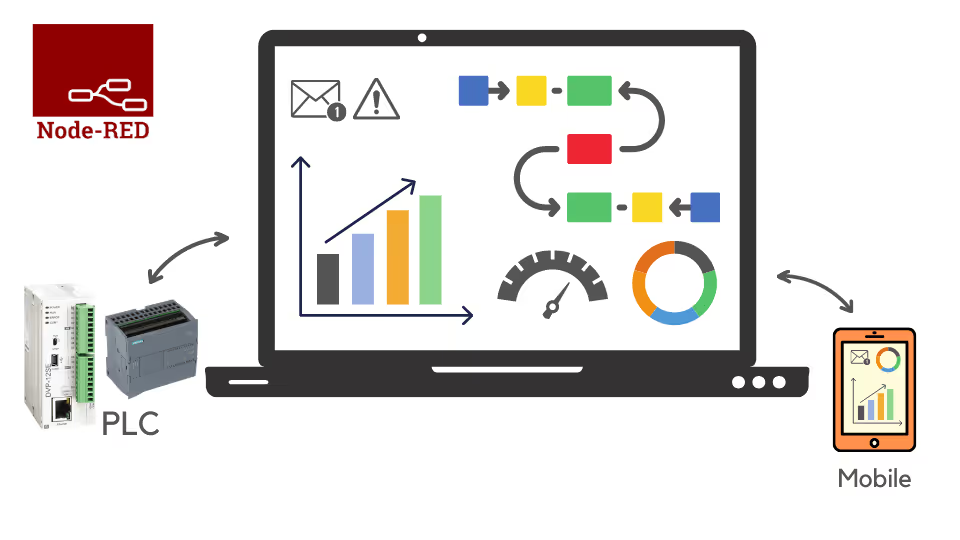
Install Node-RED from scratch, build flows that process your data, and create dashboards from PLCs, Arduino, Raspberry Pi and soft PLCs via MODBUS TCP/IP, OPC UA and APIs.
“Mr. Rajvir Singh addressed my questions within 5 minutes of my request.”
Start with no Node-RED experience and finish with live dashboards from real devices.
Install and configure Node-RED on your computer from scratch.
Build flows that process and analyse your data.
Learn the ways to store data in Node-RED.
Create machine dashboards with both Dashboard 1.0 and Dashboard 2.0.
Interface Node-RED with PLCs over MODBUS TCP/IP, including a Siemens S7-1200 and PLCSIM.
Read data from soft PLCs and devices such as Arduino and Raspberry Pi.
Understanding Node-RED, its nodes and how to store data.
Building your first dashboards with inputs, outputs and more.
MODBUS TCP/IP, the Siemens S7-1200, PLCSIM via Net2PLCsim and soft PLCs.
Building dashboards with Dashboard 2.0, plus recorded webinars.
See how Rajvir teaches, from your first flow to MODBUS and Dashboard 2.0.
Learn what Node-RED is and why engineers use it.
Learn the protocol you will use to read data from a PLC.
See the latest way to build Node-RED dashboards.
Course presentation, tips and tutorials are on the Code and Compile Wiki.
“Always interesting projects from Rajvir! Thank you again for the expert assistance you provided with Node-RED.”
“Started learning Node-RED, and Rajvir's course has helped me understand it very easily.”
“I just love the way of Rajvir sir's teaching method.”
He is a skilled Automation and IIoT Specialist, dedicated to achieving goals with precision. His passion lies in making learning accessible and enjoyable through the use of cutting-edge educational tools.





Take this course on its own, or unlock every Code and Compile course with PRO.
Practice flashcards. Test yourself on automation and IIoT concepts at beginner, medium and advanced levels on cards.codeandcompile.com.
You will be redirected to Code and Compile School for payment.
No. Node-RED is open source, and a PLC, Arduino or other controller is optional. You can also build dashboards using simulated values.
Yes. Every lesson has a comment section for your questions. If a query cannot be resolved there, Rajvir offers free screen-sharing sessions.
Yes. Use the Teachable app on Android or iOS, sign in with your account and save videos for offline access.
Yes. You receive a unique completion certificate when you finish the course.
You can request a refund within 72 hours of purchase by emailing info@codeandcompile.com.
Learn at your own pace, with an instructor who helps you when you get stuck.
Start the courseMaster Industrial Automation and Industrial Internet of Things