New Video- ADAM-250PN - Full Walkthrough with TIA Portal, Node-RED & MQTT → Watch now


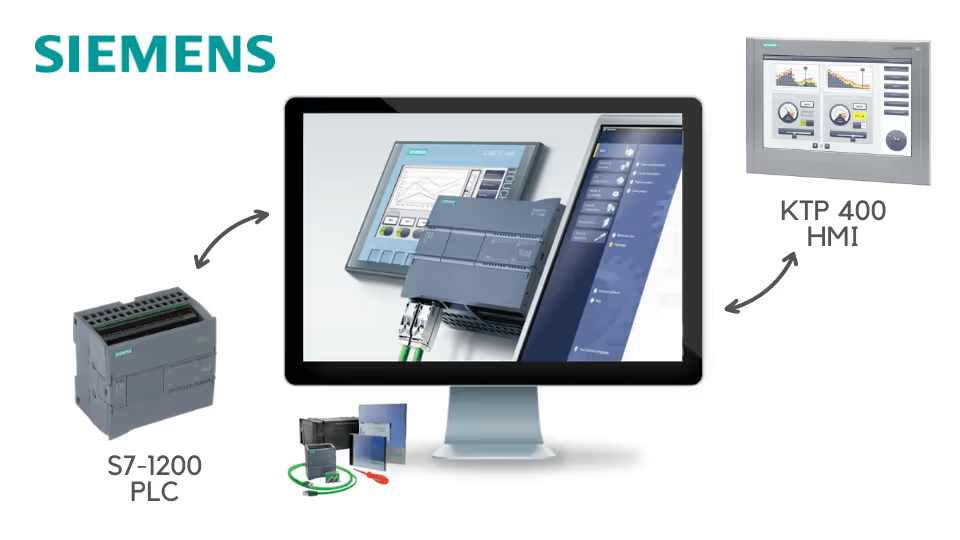
Learn to wire, program and troubleshoot an S7-1200, then build the HMI operators use, all from scratch in TIA Portal. No hardware yet? Simulate your PLC logic with PLCSIM.
“I have done many courses on PLC programming, but the one I did through Code and Compile was definitely my favorite.”
Every section builds on the last, so you always know why each step matters.
Get to know the S7-1200, then install and configure it before you write your first program.
Work through bit logic, timers, counters, math and move operations inside TIA Portal.
Wire and design a KTP 400, then add inputs, outputs, animations and control functions.
No hardware? Simulate your PLC logic and start learning before you buy a PLC.
Learn practical techniques for finding out what is going wrong in a PLC program.
Explore SCL, PID control, discrete and analogue alarms, plus functions and function blocks.
S7-1200 hardware, an introduction to TIA Portal and its general elements.
Bit logic, timers, counters, comparison, math, move, program control and word logic, plus PLC troubleshooting.
Wiring, design and interfacing, input and output elements, animations and control functions.
An SCL application example, PID, discrete and analogue alarms, functions and function blocks, and the course wrap-up.
See how Rajvir teaches, from the hardware to your first program and your first HMI screen.
Get to know the PLC you will wire and program throughout the course.
The building blocks of every ladder program, worked through in TIA Portal.
Build your first operator control on the KTP 400 touch panel.
Course presentations, TIA Portal projects and the FACTORY I/O scene are on the Code and Compile Wiki.
“I have been working through the Siemens 1200 PLC course. I really enjoy how Rajvir has integrated practical exercises using Factory IO. Seeing the code I have written work with real-world applications is brilliant. Rajvir has connected to my PC and helped me troubleshoot my code on a few occasions, which is really appreciated.”
“Started studying Siemens TIA and Rajvir’s course has been awesome, I’m learning a lot, the way he delivers the course is great, easy to understand and very interesting. Thank you so much.”
“Your course is simplified and well explained with examples. I already feel confidence and even working on buying my personal S7-1200 CPU 1212C AC/DC/Relay PLC. I will love to further the course by going for the Advance course soon.”
He is a skilled Automation and IIoT Specialist, dedicated to achieving goals with precision. His passion lies in making learning accessible and enjoyable through the use of cutting-edge educational tools.





Take this course on its own, or unlock every Code and Compile course with PRO.
Practice flashcards. Test yourself on PLC and HMI concepts at beginner, medium and advanced levels on cards.codeandcompile.com.
You will be redirected to Code and Compile School for payment.
No. You can simulate your PLC logic using PLCSIM. The course also uses S7-1200 PLC and KTP 400 HMI hardware, so you can follow along on real equipment if you have it.
Yes. Every lesson has a comment section for your questions. If a query cannot be resolved there, Rajvir offers free screen-sharing sessions.
Yes. Use the Teachable app on Android or iOS, sign in with your account and save videos for offline access.
Yes. You receive a unique completion certificate when you finish the course.
You can request a refund within 72 hours of purchase by emailing info@codeandcompile.com.
Learn at your own pace, with an instructor who helps you when you get stuck.
Start the courseMaster Industrial Automation and Industrial Internet of Things