New Video- ADAM-250PN - Full Walkthrough with TIA Portal, Node-RED & MQTT → Watch now


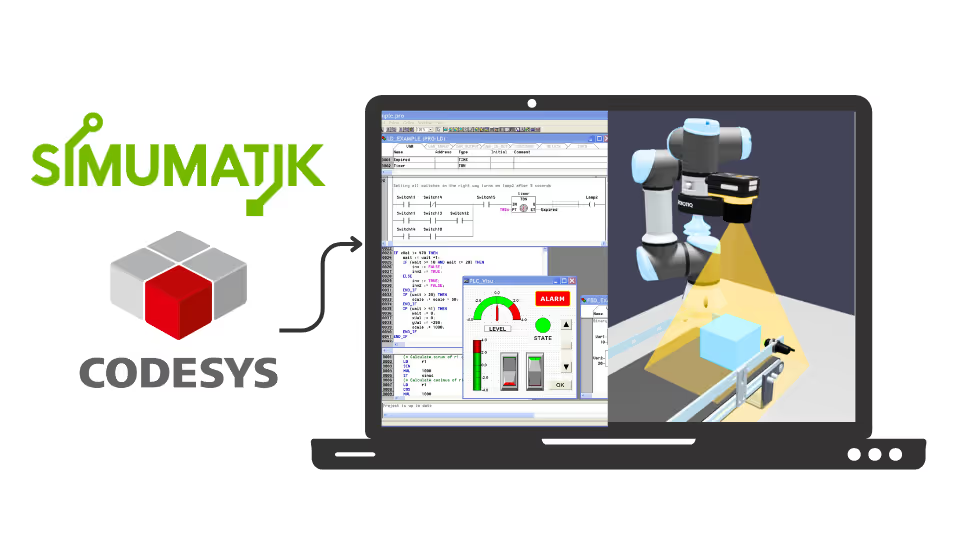
Write Ladder and Structured Text in CODESYS and control realistic digital twins in SIMUMATIK, from logic circuits to a complete can filling and labelling line. Free, and no PLC hardware needed.
“I have done many courses on PLC programming, but the one I did through Code and Compile was definitely my favorite.”
SIMUMATIK gives you the machine. CODESYS gives you the PLC. You write the logic that brings it to life.
Run realistic 3D machines in your browser, with no installation.
Link the CODESYS soft PLC to the twin through the SIMUMATIK gateway.
Solve 13 logic circuit exercises and watch each one run on the twin.
Write the same logic in ST and learn when each language fits best.
Control conveyors, sensors and a filling station in a real industrial sequence.
Add sealing and labelling and coordinate a complete production line.
What a digital twin is, how SIMUMATIK works and how it connects to CODESYS.
Exercises 2.1 to 2.13: solve logic tasks in Ladder and ST and test them on the twin.
Automatic can filling, then sealing and labelling, the way real packaging lines run.
More free videos, and how to get your own SIMUMATIK license to keep building.
One complete lesson is open to everyone. Want more? The SIMUMATIK Academy has free videos too.
Solve your first eight logic exercises and watch the twin respond.
Rajvir and SIMUMATIK CTO Mikel Ayani build twins live, from pick-and-place to AI.
Connect SIMUMATIK to CODESYS, TIA Portal, Node-RED and more.
Free tutorial videos and PDFs for SIMUMATIK on the Code and Compile Wiki.
“Rajvir is an exceptional teacher who simplifies complex topics effortlessly. He’s always available in comments or even via TeamViewer to help you understand. Truly dedicated and teaches straight from the heart.”
“I was shy to learn PLC and IIoT, but Rajvir’s teaching on Code and Compile inspired me. His passion, clarity, and willingness to answer every question made learning PLCnext and Node-RED exciting.”
“I’m a software engineer at NASA Ames, and Rajvir’s videos greatly help me interface PLCs for testing heat shield systems on reentry vehicles, truly contributing to space exploration and innovation.”
He is a skilled Automation and IIoT Specialist, dedicated to achieving goals with precision. His passion lies in making learning accessible and enjoyable through the use of cutting-edge educational tools.





Watch every lesson for free. To build and run your own systems in SIMUMATIK, get an educational license from Code and Compile, the official partner.
Practice flashcards. Test yourself on PLC and HMI concepts at beginner, medium and advanced levels on cards.codeandcompile.com.
You will be redirected to Code and Compile School to enroll. Licenses are activated within 48 business hours.
No. CODESYS runs a soft PLC on your computer and SIMUMATIK runs in your browser, so you can follow every exercise without any hardware.
Yes. Every lesson has a comment section for your questions. If a query cannot be resolved there, Rajvir offers free screen-sharing sessions.
The lessons are free to watch. To build and run your own systems in SIMUMATIK, you need a license. Code and Compile is the official partner for individual educational licenses, from €12/month billed yearly.
Yes. Enroll for free with no credit card and get one year of access to all 7 lessons.
A modern mid-range computer with an up-to-date browser. The CODESYS development system runs on Windows.
Start the free course today. When you are ready to build your own systems, get your SIMUMATIK license.
Enroll for freeMaster Industrial Automation and Industrial Internet of Things