New Video- ADAM-250PN - Full Walkthrough with TIA Portal, Node-RED & MQTT → Watch now


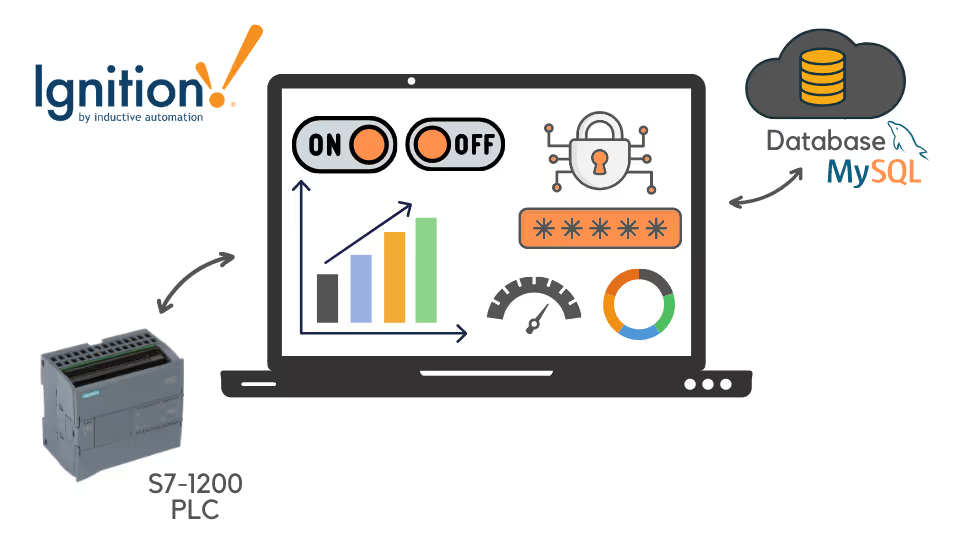
Connect a Siemens S7-1200 to Ignition SCADA, read and write PLC tags, log data to MySQL, and build charts, screens and reports, finishing with a conveyor monitoring project.
“I recommend it to those who are interested in SCADA systems.”
Go from a PLC on the bench to a SCADA project with a database behind it.
Set up Ignition and interface it with the S7-1200.
Exchange tag data between the PLC and SCADA.
Learn database basics and connect Ignition to MySQL.
Exchange information between the PLC and MySQL through Ignition.
Show PLC information with charts, graphs and tables.
Build reports and a complete conveyor monitoring example.
Installing Ignition, interfacing with the PLC, and reading and writing tags.
An introduction to databases and connecting them to your SCADA project.
Tables, charts and more visual elements for PLC tags and database data.
An industrial conveyor monitoring example, making reports in Ignition and the course wrap-up.
See how Rajvir teaches, from installing Ignition to designing a conveyor control screen.
Set up the SCADA software you will use throughout the course.
Link SCADA to the data inside your PLC.
Start building the course's conveyor monitoring project.
Find Ignition SCADA resources and software links on the Code and Compile Wiki.
“If you want basic knowledge of PLC, SCADA and you want your career to excel in Automation…”
“…you won't regret to joint Code & Compile.”
“Rajvir is an exceptional teacher who simplifies complex topics effortlessly. He’s always available in comments or even via TeamViewer to help you understand. Truly dedicated and teaches straight from the heart.”
He is a skilled Automation and IIoT Specialist, dedicated to achieving goals with precision. His passion lies in making learning accessible and enjoyable through the use of cutting-edge educational tools.





Take this course on its own, or unlock every Code and Compile course with PRO.
Practice flashcards. Test yourself on PLC and HMI concepts at beginner, medium and advanced levels on cards.codeandcompile.com.
You will be redirected to Code and Compile School for payment.
An S7-1200 is recommended. Without one, you can use Net2PLCsim with TIA Portal or PLCSIM Advanced to connect SCADA to a simulated PLC. Ignition is free to download for evaluation and non-commercial use.
Yes. Every lesson has a comment section for your questions. If a query cannot be resolved there, Rajvir offers free screen-sharing sessions.
Yes. Use the Teachable app on Android or iOS, sign in with your account and save videos for offline access.
Yes. You receive a unique completion certificate when you finish the course.
You can request a refund within 72 hours of purchase by emailing info@codeandcompile.com.
Learn at your own pace, with an instructor who helps you when you get stuck.
Start the courseMaster Industrial Automation and Industrial Internet of Things